How to Run AI Locally: Hardware, Models & Private AI Setup
How to run AI locally in 2026: how much RAM and VRAM you need, what size local LLMs your machine can handle, which software to use, and when cloud AI still wins.
Most people's entire relationship with AI is a text box in a browser tab owned by someone else. That works fine until it doesn't — until a document is too sensitive to paste, until the Wi-Fi drops, until a model you depended on gets deprecated, or until you want an agent grinding away for eight hours without watching a token meter.
Running AI locally solves a specific set of those problems. This guide covers the practical parts first: what local AI actually is, what hardware you need, how much RAM and VRAM different model sizes demand, what software to install, and what a realistic home setup looks like. The argument about why owning your compute matters is still here — it's just further down, after you've got the answers you came for.
What Is Local AI?
Local AI means the model runs on hardware you physically control. Instead of your prompt travelling to a data center, the model's weights — the multi-gigabyte file that encodes what it learned during training — are downloaded once and loaded into your computer's memory. Every token is then predicted by your own CPU or GPU.
This is possible because a growing number of labs publish open-weights models: you can download the parameter file and run it yourself, subject to the model's license. Meta's Llama family, Alibaba's Qwen series, Google's Gemma models, Mistral's small models, DeepSeek's R1 distillations, and OpenAI's gpt-oss release are all distributed this way. Open weights is not the same as open source — most of these ship the weights without the training data — but for running a model on your own box, weights are what matter.
The practical consequence: you can unplug the ethernet cable and the thing keeps working. No rate limits, no per-token billing, no prompt leaving your local bus.
Why Run AI Locally?
- Privacy by architecture. Client records, contracts, medical notes, unreleased code — the data never leaves the machine, so there's no provider policy to read and no retention window to worry about.
- Offline availability. Planes, job sites, rural internet, outages. A local model has no dependency on anyone's uptime page.
- Control and continuity. A model you've downloaded can't be deprecated out from under you, silently re-tuned, or geo-restricted. You keep the exact version that worked.
- Predictable cost at high volume. Once the hardware is bought, marginal cost is electricity. That changes the math for always-on agents that would be absurd to run on metered APIs.
- Experimentation. Swap models in seconds, tune sampling parameters, run uncensored-by-default open models, fine-tune on your own data, and actually learn how inference works.
- Customization. System prompts, retrieval over your own files, and small fine-tunes are all things you own rather than rent.
What Hardware Do You Actually Need?
You need less than the internet implies. Nobody needs a $40,000 server rack to run a local LLM. What you need depends entirely on the workload, and the single most important variable is memory — because the model has to fit somewhere before it can do anything.
- CPU-only. Any modern laptop with 16 GB of system RAM can run a 4B–8B model through llama.cpp or Ollama. Expect a handful of tokens per second — usable for summarizing, classifying, and batch jobs; frustrating for interactive chat.
- Integrated / unified memory. Apple Silicon shares one memory pool between CPU and GPU, so a Mac with 32–64 GB can load models that would need a very expensive discrete GPU. AMD's Ryzen AI Max (Strix Halo) systems take a similar approach on the PC side.
- Consumer GPU. A discrete NVIDIA card is the fastest path to snappy inference. VRAM is the constraint: 8 GB runs 7B–8B models comfortably, 16 GB opens up 14B, 24 GB handles 32B, and 32 GB starts making quantized 70B feasible with offload.
- System RAM. Matters for CPU inference and for spilling layers that don't fit in VRAM. 32 GB is a comfortable floor for serious experimentation; 64 GB+ if you want big models on CPU.
- Storage. Weights are large — a 70B model at 4-bit is roughly 40 GB, and you'll collect several. Budget 1–2 TB of fast NVMe. Model load time is bound by disk read speed.
- Power and heat. A GPU under sustained inference load pulls near its rated TDP. Check your PSU headroom before adding a 400W+ card, and remember that an always-on box is a small, permanent addition to your electricity bill.
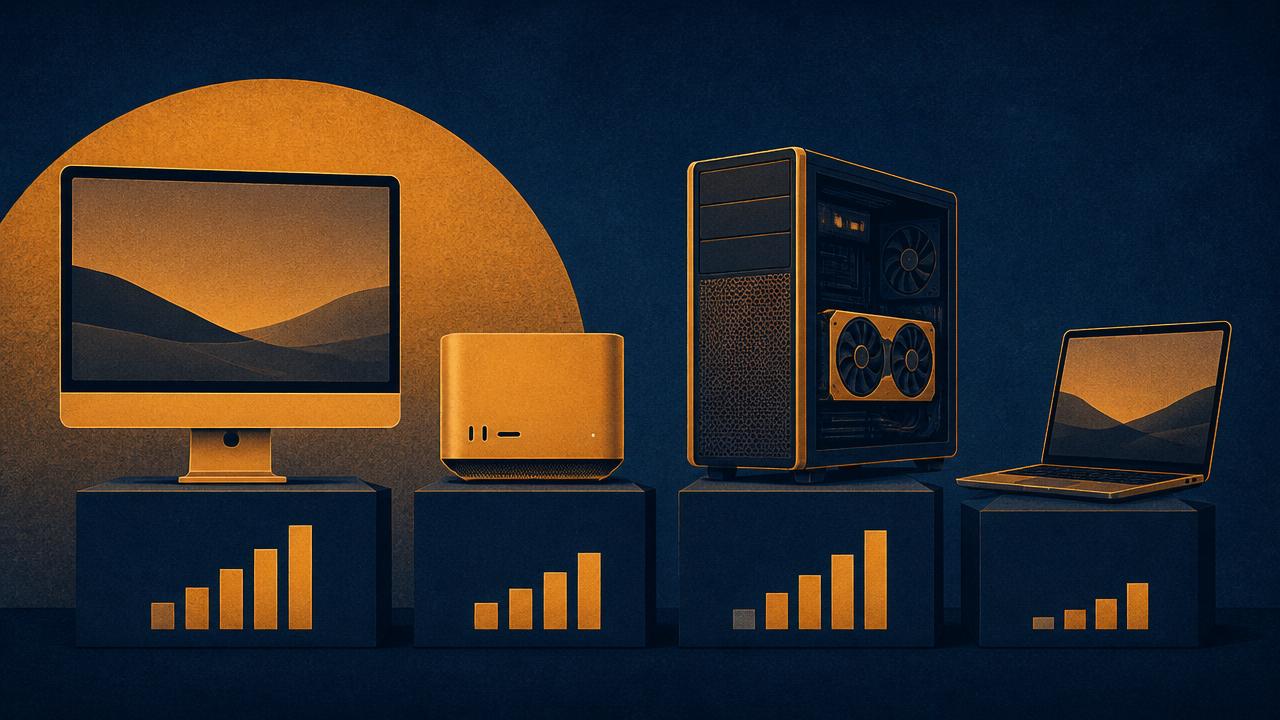
Local AI hardware tiers compared
| Type of setup | Good for | Major limitation |
|---|---|---|
| CPU-only laptop or mini PC (16–32 GB RAM) | Learning the stack, 4B–8B models, summarization and batch jobs | Slow token generation; interactive chat feels sluggish |
| Midrange consumer GPU (8–16 GB VRAM) | Everyday local LLM use, 7B–14B models at comfortable speed | VRAM ceiling; larger models require heavy quantization or offload |
| High-VRAM GPU (24–32 GB, e.g. RTX 3090/4090/5090) | 32B models, longer context windows, fast agent loops | Price, power draw, and heat; still short of unquantized large models |
| Apple Silicon / unified memory (32–512 GB) | Loading very large models efficiently in a quiet, low-power box | Lower memory bandwidth than discrete GPUs, so generation is steadier but slower; some tooling is CUDA-first |
| Dedicated workstation or multi-GPU server | Large models, multiple concurrent users, fine-tuning | Cost, noise, power, and real sysadmin complexity |
Two reference points worth knowing at the top end: Apple's Mac Studio can be configured with very large unified memory pools, which is why it shows up constantly in local-AI discussions despite not being a "GPU rig." And NVIDIA's DGX Spark class of desktop AI systems pairs 128 GB of coherent memory with CUDA compatibility, aimed squarely at people who want data-center tooling on a desk. Neither is necessary to start.
RAM vs VRAM for Local AI
This is the question that trips up most beginners, so here it is plainly: VRAM is the memory attached to your graphics card. RAM is your system memory. A model runs fastest when it fits entirely in VRAM, because GPU memory bandwidth is an order of magnitude higher than system RAM bandwidth.
If a model doesn't fit in VRAM, inference engines like llama.cpp will offload the remaining layers to system RAM and run them on the CPU. It works, and it's a genuinely useful escape hatch — but speed drops sharply, because you're now bottlenecked by the slowest part of the chain. On Apple Silicon the distinction mostly collapses: unified memory is both, which is the whole appeal.
Context length is the sneaky one. The KV cache grows with the number of tokens in the conversation, and at long contexts it can consume more memory than you expected. A model that loads fine at 4K context may run out of memory at 128K.
What Size AI Models Can You Run?
"Can my computer run AI?" almost always resolves to "how much memory do you have, and how patient are you?" Here's a realistic mapping. Quantization — compressing weights from 16-bit down to 8-, 5-, or 4-bit — is what makes any of this fit on consumer hardware, at a modest and usually acceptable quality cost.
| Available memory | Realistic model sizes (4-bit) | What that feels like |
|---|---|---|
| 8 GB RAM, no GPU | 1B–4B | Fine for classification, tagging, and short summaries |
| 16 GB RAM, no GPU | 7B–8B | Genuinely useful assistant, but slow enough that you'll notice |
| 8 GB VRAM | 7B–8B | Fast, responsive chat; the sweet spot for a first GPU setup |
| 16 GB VRAM | 12B–14B | Noticeably better reasoning and coding, still fully on-GPU |
| 24 GB VRAM | 27B–32B | Where local models start feeling competitive for daily work |
| 32–48 GB VRAM or unified | 70B (quantized) | Strong general capability; slower, but high quality |
| 96 GB+ unified memory | Large MoE models such as gpt-oss-120b | Approaches serious workstation territory |
Also worth knowing: mixture-of-experts (MoE) models change the arithmetic. They have a large total parameter count but activate only a fraction per token, so they can be surprisingly fast once loaded — while still demanding memory for the full weight set. That's why a machine with lots of slow unified memory can outperform a fast GPU with too little VRAM on those particular models.
Local AI Software Options
The tooling has gotten genuinely good. You do not need to compile anything anymore. Four things cover almost every use case:
- **Ollama** — the easiest start. One install, then
ollama run llama3.2pulls the weights and drops you into a chat. It exposes an OpenAI-compatible HTTP endpoint on port 11434, which is what makes it so easy to wire into other tools. - **llama.cpp** — the C/C++ inference engine underneath much of the ecosystem. Use it directly when you want maximum control over quantization, offload layers, and CPU/GPU split.
- **LM Studio** — a desktop GUI for people who'd rather click than type. Model browser, hardware compatibility hints, and a local server mode. The friendliest option for non-terminal users.
- **Open WebUI** — a self-hosted, ChatGPT-style browser interface that sits in front of Ollama or any OpenAI-compatible endpoint. Adds chat history, multiple users, and document retrieval.
- **vLLM** — the serving layer to reach for when you need throughput across many concurrent requests rather than one person chatting.
For finding weights, Hugging Face is the de facto registry; Ollama and LM Studio both maintain curated catalogs that spare you the format wrangling.
On Windows specifically, the install details differ enough to be worth their own walkthrough — drivers, where models get stored, and which of the two apps to start with are covered in Ollama vs LM Studio on Windows.
Example Local AI Setups
The $0 starting point
Install Ollama on the laptop you already own. Pull an 8B model. Point Open WebUI at it. You now have a private assistant, and you'll learn more in an afternoon than in a week of reading spec sheets — including whether you actually want to spend money on this.
The everyday workhorse
A desktop with a 16–24 GB VRAM GPU running a 14B–32B model, plus Open WebUI for the interface and a document folder wired in for retrieval. This handles drafting, code review, and research summarization well enough that you'll stop reaching for the cloud on routine work.
The always-on home node
A quiet mini PC or Mac Mini left running 24/7, serving Ollama over Tailscale to your laptop and phone. Modest models, but permanent availability — the setup that most changes how often you actually use local AI.
Shopping list: gear that maps to those tiers
Prices and stock move constantly, so treat these as categories to research rather than fixed recommendations. Always check current specs before committing.
- Unified memory: Apple Mac Studio (max RAM config) for hosting large models in a quiet, low-power box.
- Prosumer workstation: an AI-focused desktop workstation, or a 128 GB DDR5 RAM kit to push an existing tower into large-model territory on CPU.
- Bandwidth: a high-VRAM NVIDIA GPU for fast inference on quantized 30B–70B models, paired with a 1000W+ 80+ Platinum PSU so the rig doesn't brown out under sustained load.
- Budget entry point: a Mac Mini (M-series, 24 GB unified) is the cheapest serious on-ramp; pair it with a 4 TB external NVMe SSD so model weights don't eat the boot drive.
- Always-on hygiene: a power meter so you actually know what 24/7 inference costs, and a UPS battery backup to survive outages.
Building a Home AI Server
A "home AI server" is less exotic than it sounds: it's one machine that stays on, holds the model weights, and answers requests from everything else you own. The design questions are boring and important.
- Pick one host. Whichever machine has the most memory and can tolerate being left on. Everything else becomes a client.
- Run the server mode. Ollama and LM Studio both expose OpenAI-compatible endpoints, which means most existing AI tooling can be pointed at your box by changing a base URL.
- Put a real interface in front. Open WebUI gives you chat history, multiple accounts, and file uploads without writing any code.
- Plan for heat and noise. A GPU that's fine for two hours of gaming behaves differently under a 24-hour inference loop. Airflow matters more than you think.
- Keep weights on fast storage. Load times are disk-bound, and you'll be swapping models more than you expect.
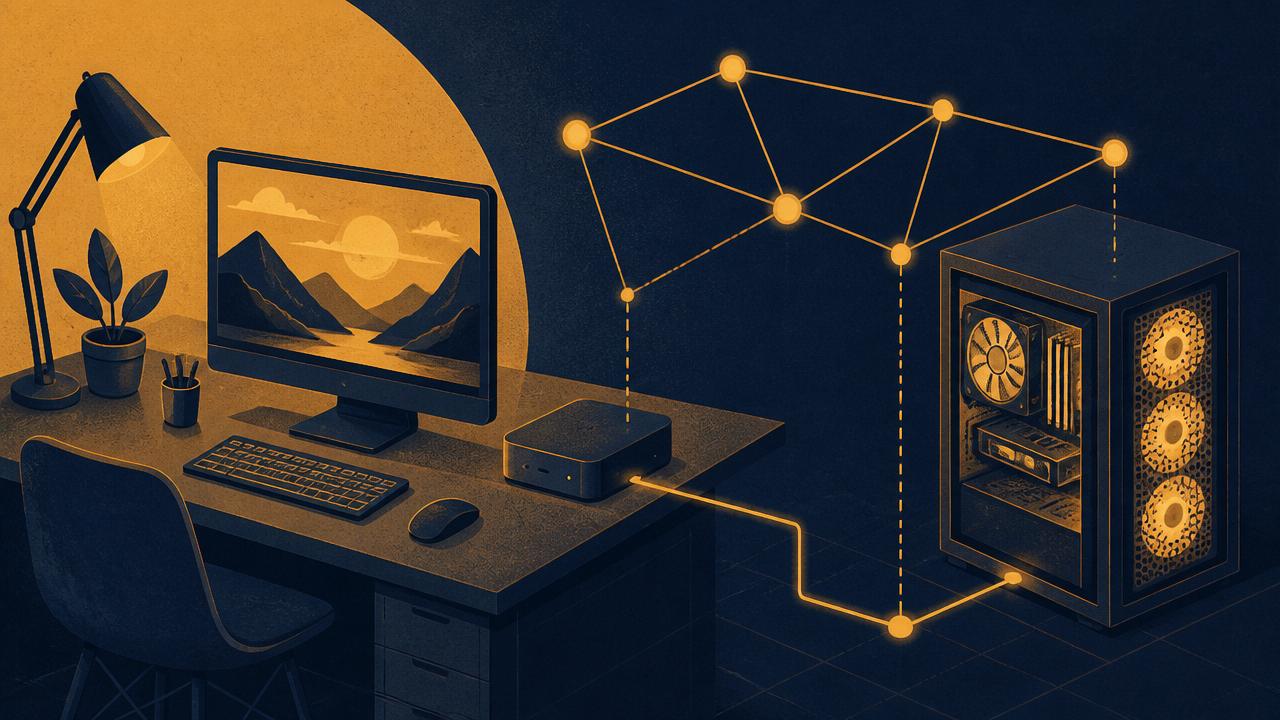
Networking and Remote Access
A local model you can only use while sitting at one desk gets abandoned fast. The fix is a private overlay network rather than port-forwarding your inference endpoint to the open internet — which you should not do.
Tailscale: the private mesh
Tailscale builds a WireGuard-based encrypted network between your own devices, authenticated by identity rather than IP address. Install it on the home server and on your laptop and phone, and those devices can reach each other directly from anywhere, as if they were on the same LAN. Traffic is end-to-end encrypted between devices; the coordination service handles key exchange and connection setup rather than carrying your prompts.
Practically: you're in a coffee shop, your phone opens Open WebUI at your home machine's tailnet address, and the model answering you is sitting in your spare room. No cloud provider in the path. Self-hosted Headscale is the option if you'd rather not depend on Tailscale's coordination service either.
Orchestration and automation
Once the endpoint is reachable, the interesting part is what you point at it. Because Ollama speaks the OpenAI API format, self-hosted automation platforms, editor plugins, and scripts mostly work unchanged — you swap the base URL and the API key stops mattering. If you're already building automations, the playbook in Code as an Asset: Desktop Automation Scripts pairs neatly: desktop scripts become the hands of the local model.
# Pull a model and start serving it
ollama pull llama3.2
ollama serve            # OpenAI-compatible endpoint on :11434

# Reach it from any device on your tailnet
curl http://home-server.tailnet-name.ts.net:11434/v1/chat/completions \
  -H "Content-Type: application/json" \
  -d '{
        "model": "llama3.2",
        "messages": [{"role": "user", "content": "Summarize this quarter'\''s notes."}]
      }'
Privacy: What Local AI Does and Doesn't Solve
Local AI genuinely removes an entire class of risk. When inference happens on your machine, there is no third party to trust with the prompt, no retention policy to parse, no subpoena that can reach a conversation log that doesn't exist, and no question about whether your data trains a future model.
It's worth being precise about the alternative, though, because the cloud is not one thing. Consumer chat products, paid tiers, and enterprise API contracts have materially different data-handling terms. OpenAI, for example, states that API business data isn't used to train its models by default, and Anthropic publishes comparable commercial terms. Free consumer tiers are frequently a different story. The honest framing is read the specific terms of the specific product, not the cloud reads everything.
- Local AI does solve: third-party retention, training on your data, provider-side breaches, cross-border data transfer questions, and losing access to a model you depend on.
- Local AI does not solve: a compromised machine, an unencrypted disk full of model weights and chat logs, a badly exposed endpoint, or the fact that an agent with internet access still sends data out when it browses.
- Local AI does not automatically mean compliant. HIPAA, GDPR, and contractual obligations care about your whole environment — disk encryption, access control, retention — not just where inference happens.
If you're still deciding how much autonomy to hand any AI system, the audit framework in AI Isn't Evil, But It Is Dangerous is the right prerequisite before you wire a model into anything load-bearing.
Local AI vs Cloud AI: Which Should You Use?
| Factor | Local AI | Cloud AI |
|---|---|---|
| Peak capability | Strong, but trails frontier models on hard reasoning and long context | Best available quality |
| Cost structure | High upfront hardware, low marginal cost after | No upfront cost, per-token or subscription billing |
| Privacy | Data never leaves your machine | Depends entirely on the provider and plan terms |
| Availability | Works offline; depends on your own uptime | Depends on provider uptime, rate limits, and region |
| Setup effort | Hours of configuration, ongoing maintenance | Sign up and type |
| Continuity | The version you downloaded is yours indefinitely | Models get deprecated and behavior shifts |
| Best for | Sensitive data, offline work, high-volume automation, learning | Hardest problems, multimodal work, occasional use |
On cost specifically: local AI is cheaper at volume, not free. A GPU drawing 400W continuously runs roughly $30–$50 a month at typical US residential electricity rates, before you amortize the hardware. Against a $20/month subscription used casually, local loses. Against thousands of automated API calls a day, it wins decisively. Our breakdown of which two AI subscriptions are actually worth paying for is the companion math on the cloud side.
The Ambient Paradigm: What Owning Compute Unlocks
The most interesting thing about local AI isn't replacing the chat box. It's that metered billing quietly shapes how you use AI — you only query when you consciously decide something is worth the cost. Remove the meter and the calculus changes. You can leave things running.
Continuous codebase and infrastructure auditing
A local agent can sit in a loop against your development environment, scanning for outdated dependencies, obvious injection risks, and structural drift, while a second node watches logs for anomalies. Nothing here is magic — it's a mid-sized model doing unglamorous review work continuously instead of occasionally. Running the same volume through a metered API would be expensive enough that most people simply wouldn't.
Always-on research and monitoring
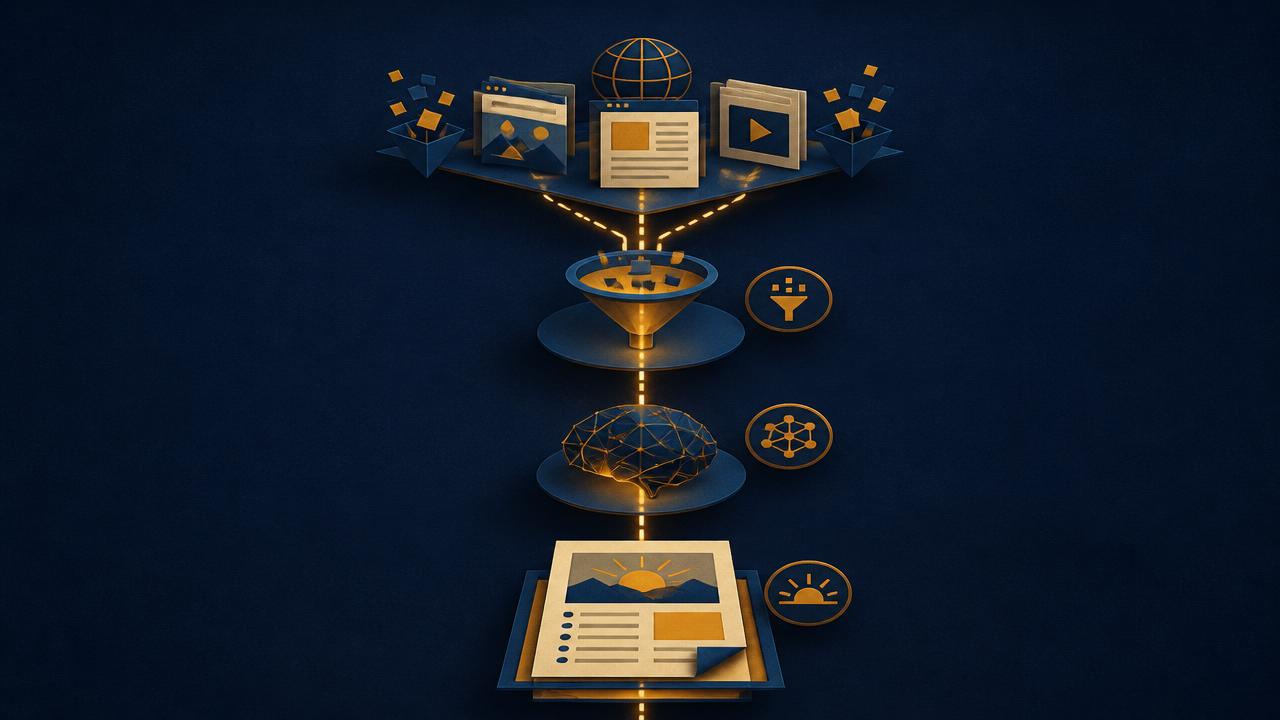
Scrapers pull from public forums and feeds on a schedule. A small fast model strips noise. A larger model synthesizes what's left into a morning digest of recurring complaints, emerging bugs, and gaps in existing tools. Verify what it surfaces — local models hallucinate exactly as readily as cloud ones — but as a filter over more input than you could read, it earns its electricity.
If you've been building this on hosted automation rails, n8n vs Zapier: Why Scaling Teams Are Quietly Killing Their Zapier Contracts explains why the same logic pushes serious operators toward self-hosting. A self-hosted n8n instance plus a local model cuts two recurring bills at once.
The Case for Owning Your Compute
Here's the part that isn't a spec sheet. For a few years the story about AI was that the cloud would democratize intelligence: pay a subscription, get access to the frontier. That story was always partly true and partly a rental agreement.
The realistic concern isn't a cinematic shutdown. It's ordinary commercial behavior: models get deprecated on a schedule, prices change, rate limits tighten, safety tuning shifts what a model will help with, regional availability varies, and the terms you agreed to can be revised. None of that is villainous. All of it is out of your hands. And export controls and national-security reviews of advanced AI systems are a real, documented policy area — not a guarantee of any particular outcome, but a reason not to assume permanent frictionless access to the very top tier.
Hardware is a related but separate question. Memory and accelerator supply is genuinely tight, and DRAM pricing has been volatile as data-center demand absorbs capacity. That's a reason to buy thoughtfully when you find good value — not a reason to believe consumer AI hardware is about to vanish. Predictions like that have a poor track record, and you shouldn't make a purchase on the strength of one.
There's also a less strategic reason, and it might be the better one: building this is genuinely interesting. You end up understanding quantization, memory bandwidth, context windows, and what these models actually are — instead of treating the defining technology of the decade as a text box that produces words.
Who Should Build a Local AI Setup?
| You should probably... | Because |
|---|---|
| Start today with hardware you own | You handle client, legal, medical, or financial data you shouldn't paste into a chat box |
| Start today with hardware you own | You want to run high-volume automation without a token meter running |
| Start today with hardware you own | You're curious and want to actually understand how inference works |
| Wait, and use the cloud | You use AI a few times a week and value your time more than the control |
| Wait, and use the cloud | Your work depends on the very best reasoning available, with no substitutes |
| Do both | Almost everyone reading this — sensitive and repetitive work local, hardest problems cloud |
Audit Prompt: Map Your AI Dependencies
Paste this into any model — local or cloud — to map where you currently depend on commercial AI infrastructure and get a prioritized plan for what's worth moving. Fill in the {{VARS}} honestly; the value is in the diagnosis, not the score.
You are an infrastructure auditor specializing in AI dependencies. Your job is not to be polite. Map my exposure to commercial AI services and give me a prioritized, realistic plan for what to move to local hardware — and what should stay in the cloud.

My context:
- Role: {{ROLE}}                 (e.g. solo founder, ops lead at 12-person SaaS)
- Monthly AI spend (USD): {{MONTHLY_SPEND}}
- Tools I currently rely on: {{TOOL_LIST}}   (e.g. ChatGPT Plus, Claude API, Cursor, Perplexity)
- Workloads I run on AI: {{WORKLOADS}}       (e.g. code review, content drafting, support triage, research)
- Hardware I already own: {{HARDWARE}}       (e.g. M2 Pro MacBook 32GB, RTX 4080 desktop)
- Budget for new hardware in next 6 mo: {{BUDGET}}

Required output, in this exact order:

1. DEPENDENCY MAP
   For each service in {{TOOL_LIST}}: what breaks in my workflow tomorrow if it is rate-limited, repriced, deprecated, or unavailable in my region.

2. SENSITIVITY SCORE (1-10) per workload
   For each item in {{WORKLOADS}}: how exposed is the data, and does the provider's actual stated policy for the plan I'm on mitigate it. Justify in one sentence. Say so if you don't know the policy.

3. HARDWARE GAP ANALYSIS
   Given {{HARDWARE}} and {{BUDGET}}: what is the largest model I can realistically run today, what would the next purchase unlock, and is that upgrade actually justified by my workloads.

4. MIGRATION SEQUENCE (90 days)
   Week-by-week plan to move my top 3 highest-sensitivity workloads onto local infrastructure. Name the runtime (Ollama, llama.cpp, LM Studio), the interface (Open WebUI), and the network layer (Tailscale).

5. WHAT STAYS IN THE CLOUD
   Be honest about which workloads genuinely belong on frontier models, and the written policy I should adopt for using them.

6. TOTAL COST OF OWNERSHIP
   Compare 24 months of my current spend against hardware + electricity for the local plan. Show the math and state your assumptions.

BANNED PHRASES: game-changer, unlock, leverage, seamless, transform, empower, ecosystem, future-proof.

Do not invent specs for hardware I haven't listed. If you lack information to score a section, say so explicitly.
Where to Start This Week
Install Ollama on the computer in front of you. Pull an 8B model. Ask it something you'd normally ask a cloud model and notice both what's good and what isn't. That single afternoon will tell you more about whether local AI fits your work than any buying guide — including this one — and it costs nothing but the download.
If it sticks, add Open WebUI for a real interface, Tailscale so your phone can reach it, and only then start thinking about hardware. Buying first is how people end up with an expensive GPU and an unused Ollama install.
When you're ready to wire a local model into an actual decision-making workflow, the Autonomous Solopreneur AI Board of Directors framework is the cleanest pattern we've shipped. The prompt library has the rest of the building blocks, and Our Picks lists the hardware and tooling we'd actually spend money on this quarter.
Frequently asked questions
- Yes. Any machine with 16 GB of RAM can run a 7B–8B model through Ollama or LM Studio, even without a dedicated graphics card — it'll just generate text slowly. With 8 GB of GPU VRAM, the same model feels as responsive as a cloud chat app. The starting question isn't whether you can, it's how big a model you want.
SoloPromptAI creates practical tools and guides for getting clearer, more useful results from AI—without the prompt-engineering theater.